

Have you ever watched a senior developer type furiously for ten seconds, hit enter, and then walk away from their desk? Meanwhile, you’ve been staring at the same function for an hour, tweaking indentation and variable names. It’s frustrating. You want to move fast. But here is the uncomfortable truth about programming faster: typing speed doesn’t matter. Not even a little bit.
If you think coding is about how many keystrokes you can hammer out per minute, you are looking at the wrong metric. The fastest coders aren’t typists; they are thinkers. They spend 80% of their time understanding the problem and designing the solution, and only 20% actually writing the syntax. When you shift your focus from typing to thinking, your output skyrockets. This isn’t just theory-it’s the difference between shipping a feature in two days versus two weeks.
The Myth of Typing Speed
We all have that one colleague who seems to fly through code. Their fingers dance across the keyboard, and lines appear magically. It looks impressive. But look closer. Are they debugging less? Are they refactoring less often? Usually, the answer is no. Fast typists often write messy, hard-to-read code because they prioritize velocity over clarity. Then comes the inevitable bug hunt. That’s where the real time is lost.
Consider this scenario: Developer A types quickly but writes complex, nested logic that takes five minutes to understand later. Developer B types slower, uses clear variable names, and breaks functions into small chunks. When a bug appears three months later, Developer A spends two hours tracing the issue. Developer B fixes it in ten minutes. Who was actually faster?
Speed in programming is measured by throughput is the rate at which valuable, working software is delivered to users. It includes writing, testing, debugging, and maintaining. If you cut corners to type faster, you pay interest on that debt later with high maintenance costs. True speed means getting it right the first time, or at least making it easy to fix when things break.
Master Your Tools: The Hidden Accelerator
You wouldn’t try to build a house with a spoon. Similarly, trying to code without mastering your Integrated Development Environment (IDE) is leaving massive amounts of efficiency on the table. Most developers use less than 10% of what their IDE can do. Learning these tools isn’t just about convenience; it’s about reducing cognitive load.
Take keyboard shortcuts. If you are reaching for the mouse to copy, paste, or navigate files, you are breaking your flow state. Every time your eyes leave the screen or your hands switch contexts, it takes several seconds to regain focus. Mastering shortcuts like Ctrl+Shift+F (search in files), Ctrl+D (select next occurrence), or F5 (debug start) adds up to hours saved per week.
| Action | Windows/Linux | macOS | Time Saved |
|---|---|---|---|
| Find and Replace in Project | Ctrl + Shift + H | Cmd + Option + F | High |
| Rename Symbol Globally | Shift + F6 | Shift + F6 | Very High |
| Go to Definition | F12 | F12 / Cmd + Click | Medium |
| Refactor Extract Method | Ctrl + Alt + M | Cmd + Option + M | High |
Beyond shortcuts, learn your IDE’s refactoring tools. Renaming a variable manually across twenty files is error-prone and slow. Using the built-in refactor tool ensures every reference updates instantly. It’s not cheating; it’s using the machine to do the repetitive work so you can focus on logic.
Think Before You Type
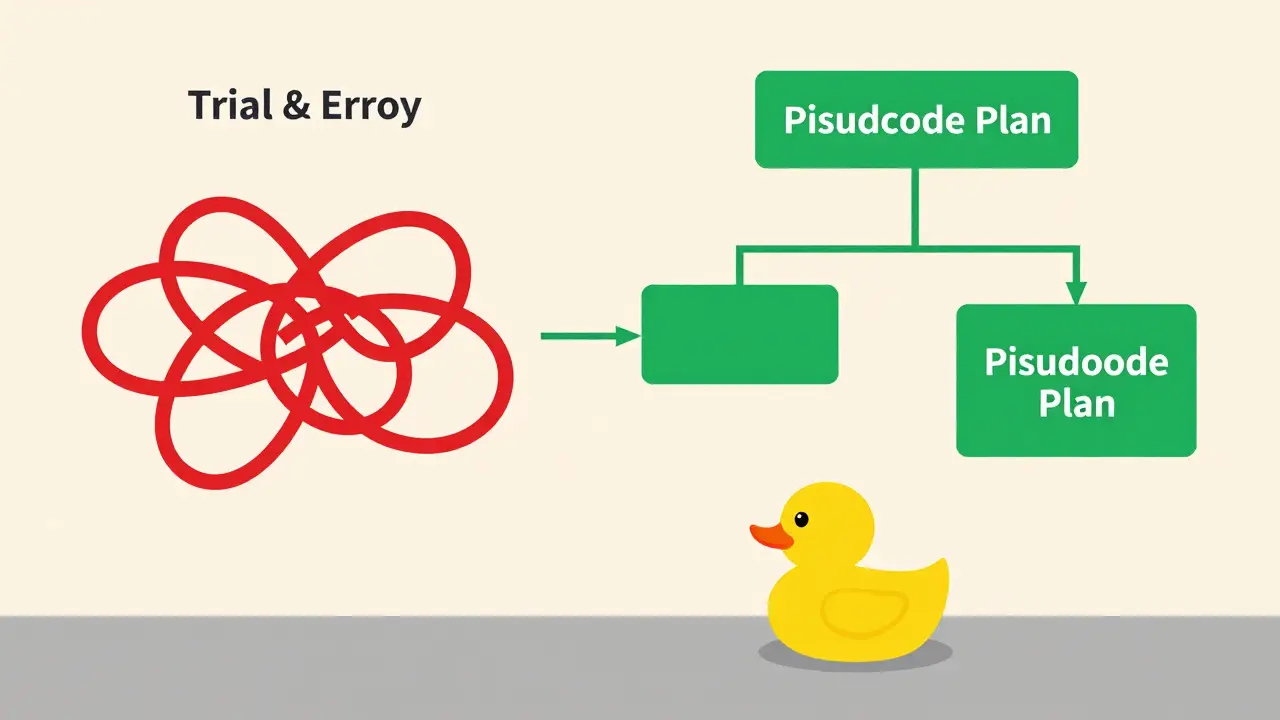
The biggest bottleneck in coding isn’t the computer; it’s the ambiguity in your own mind. If you start typing before you know exactly what the code should do, you will end up deleting more lines than you keep. This is known as "trial and error" coding, and it is incredibly expensive in terms of time.
Try this technique: pseudocode. Before writing any actual syntax, write comments that describe what each block of code will do. For example:
// 1. Fetch user data from API
// 2. Validate email format
// 3. Check if user exists in database
// 4. If exists, return error message
// 5. If new, save to database and send welcome email
This forces you to solve the logical problems first. Syntax errors are easy to fix. Logic errors are nightmares. By outlining the flow, you catch edge cases early. You might realize, "Wait, what if the API returns null?" You handle that in the plan, not in the debug console at 2 AM.
Another powerful method is rubber duck debugging. Explain your code line-by-line to an inanimate object (or a patient friend). Often, the act of verbalizing the logic reveals gaps in your reasoning. You don’t need to speak aloud every time, but mentally walking through the execution path saves hours of runtime debugging.

Write Code for Humans, Not Machines
Computers don’t care if your code is elegant. They execute instructions blindly. Humans, however, read code constantly. We read far more code than we write. Therefore, readable code is fast code. Why? Because when you return to your own code six months later, you will be a stranger to it. Clear code reduces the time needed to understand, modify, and extend functionality.
Use meaningful variable names. x, temp, and data are lazy choices. Instead, use userAgeInYears, temporaryCacheEntry, or customerOrderHistory. Yes, they take longer to type. But modern IDEs autocomplete them after two letters. The extra milliseconds spent typing are negligible compared to the seconds saved reading them.
Keep functions small. A function should do one thing and do it well. If a function is scrolling off the screen, it’s too long. Break it down. Small functions are easier to test, easier to reuse, and easier to debug. They also allow you to compose complex behaviors from simple building blocks, much like Lego bricks.
Automate the Boring Stuff
If you find yourself repeating the same pattern of code more than twice, automate it. This could mean creating snippets in your IDE, writing helper functions, or using scripts. Snippets are particularly powerful. For instance, instead of typing out a standard React component structure every time, create a snippet that generates it with a few keystrokes.
Look at your daily tasks. Do you manually set up project folders? Write a script. Do you repeatedly configure environment variables? Create a template file. Automation frees up mental energy for creative problem-solving. It turns mundane chores into instant actions.
Don’t underestimate the power of existing libraries. Reinventing the wheel is the enemy of speed. If there’s a well-maintained library that handles date formatting, HTTP requests, or data validation, use it. Reading someone else’s optimized, tested code is faster than writing your own buggy version. Just ensure the library is actively maintained and fits your project’s constraints.
The Role of Testing in Speed
Many developers view testing as a slowdown. They write code, run it manually, check the output, and repeat. This manual process is slow and unreliable. Automated tests, on the other hand, provide immediate feedback. They act as a safety net, allowing you to refactor fearlessly.
When you have a suite of unit tests, you can change internal implementation details without worrying about breaking existing features. This confidence leads to faster development cycles. You spend less time verifying old functionality and more time building new features.
Start small. Test critical business logic first. As you gain momentum, expand coverage. The initial investment in writing tests pays off exponentially as the codebase grows. Without tests, adding new features becomes increasingly risky and time-consuming, slowing you down over time.
Avoid Context Switching
One of the greatest killers of programming speed is context switching. Every time you check Slack, respond to an email, or take a meeting, your brain needs time to re-engage with the complex logic you were working on. Studies suggest it can take up to 20 minutes to fully return to deep focus after an interruption.
Protect your focus time. Use techniques like the Pomodoro Technique (25 minutes of focused work followed by a 5-minute break) to maintain intensity. Communicate your availability to teammates. Use status indicators to signal when you are in "deep work" mode. Batch your communication checks instead of responding immediately to every notification.
Multi-tasking is a myth. Your brain switches tasks rapidly, but it doesn’t perform them simultaneously. Each switch incurs a cognitive cost. By minimizing interruptions, you stay in the flow state longer, producing higher quality code in less time.
Continuous Learning and Refinement
Programming is a skill that improves with deliberate practice. Don’t just code; reflect on your coding. After completing a task, ask yourself: What went well? What was difficult? Could I have done it differently? Over time, you’ll recognize patterns and develop better heuristics for solving problems.
Read other people’s code. Open-source projects offer a wealth of examples. See how experienced developers structure their applications, name their variables, and handle errors. You’ll pick up tricks and best practices that you can apply to your own work.
Stay updated with language features. New versions of JavaScript, Python, or Java often introduce syntactic sugar or performance improvements that make coding faster and cleaner. Ignoring these updates means missing out on tools designed to help you work more efficiently.
Is typing speed important for programmers?
No, typing speed is largely irrelevant. Programming speed depends on problem-solving ability, familiarity with tools, and code clarity. Fast typists often write messier code that takes longer to debug and maintain.
How can I improve my coding speed without sacrificing quality?
Focus on planning before coding, master your IDE shortcuts, write readable code, and automate repetitive tasks. These strategies reduce errors and rework, leading to faster overall delivery.
What is the most effective way to learn new programming concepts quickly?
Practice by building small projects. Apply new concepts immediately rather than just reading about them. Reviewing open-source code also helps you see practical implementations of theoretical ideas.
Does automated testing slow down development?
Initially, writing tests takes time. However, in the long run, automated tests speed up development by catching bugs early and enabling safe refactoring. They prevent costly regressions later in the project lifecycle.
How do I avoid burnout while trying to code faster?
Balance intense focus periods with regular breaks. Avoid multitasking and protect your deep work time. Sustainable speed comes from consistent, focused effort, not marathon coding sessions that lead to fatigue and errors.