
Ever sat down to code and felt like you’re moving through molasses? You know the solution in your head, but your fingers drag. Every line takes forever. You’re not slow because you’re bad at programming. You’re slow because you’re missing the right habits.
Programming faster isn’t about typing faster. It’s about thinking smarter. It’s about removing friction before it even shows up on your screen. The best developers don’t work harder-they work with fewer wasted moves.
Stop Repeating Yourself
One of the biggest time drains in coding is reinventing the wheel. You write a function to sort a list. Then you write it again. Then again. And each time, you miss a edge case. Why? Because you didn’t build a library of reusable pieces.
Start a personal code repository. Not a GitHub repo. Just a folder on your machine. Call it MyTools. Every time you write something useful-a parser, a data validator, a file renamer-save it there with a clear name and one-line comment. Over time, this becomes your personal toolkit. No more rewriting the same 15 lines of code for the third time.
Companies like Google and Meta have internal code libraries for this exact reason. You don’t need a team of engineers to do the same. Just start small. One function. One script. One utility. Build it once. Use it ten times.
Master Your Editor
Most programmers use their editor like a word processor. They click. They scroll. They copy-paste manually. That’s like driving a sports car with the parking brake on.
Learn your editor’s shortcuts. Not the basics. The deep ones. In VS Code, Ctrl+D selects the next occurrence of the word. Press it twice to select three. Press it again and you’re editing four places at once. In Vim, ciw changes the entire word under your cursor without selecting it. In JetBrains IDEs, Alt+Enter gives you context-aware fixes before you even realize there’s a problem.
Here’s a real example: I needed to rename a variable called user_id to userId across 87 files. I didn’t do a global find-and-replace. I used Ctrl+Shift+F to open the find-in-files tool, typed user_id, then clicked "Replace All" in each file. Took 12 seconds. If you’re still doing this manually, you’re losing hours every week.
Break Problems Into Tiny Pieces
When you’re stuck on a big problem, you don’t need to solve it all at once. You need to solve the smallest possible part first.
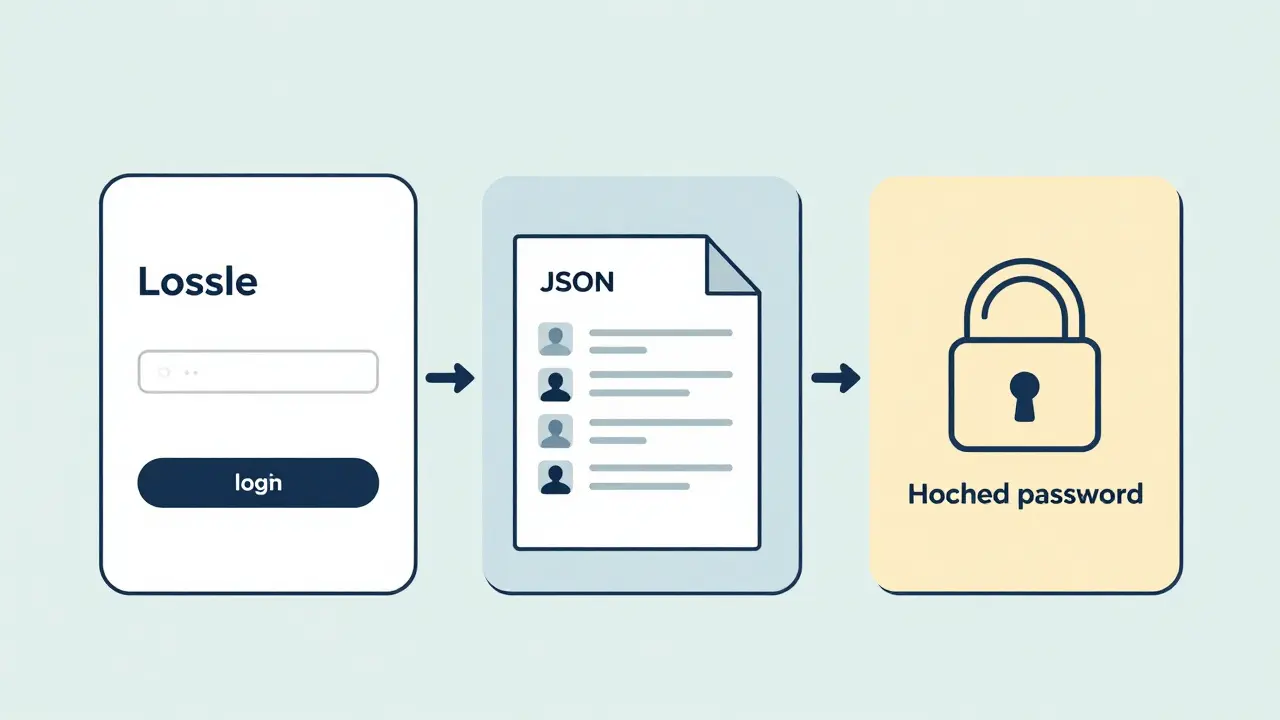
Let’s say you’re building a login system. Instead of trying to code the whole thing-database, UI, validation, sessions, error handling-start with this: Can I accept a username and password in a form and print them to the console? That’s it. Just print them. No database. No security. No styling.
Once that works, the next step: Can I check if the username exists in a hardcoded list? Then: Can I store that list in a JSON file? Then: Can I hash the password? Each step takes 10-20 minutes. You’re not overwhelmed. You’re not stuck. You’re moving.
This is called the tiny wins method. It works because your brain rewards progress, not perfection. Every small win keeps you in flow. Every big leap breaks it.
Write Less Code
The fastest code is the code you never write.
Every line of code you write is a line you have to debug, test, document, and maintain. That’s not free. That’s time you’ll spend later.
Before you write a new function, ask: Is there already a library that does this? For sorting? Use the built-in sort(). For parsing dates? Use date-fns or moment.js (if you’re stuck in legacy). For HTTP requests? Use fetch or axios. Don’t roll your own unless you have a very specific reason.
Here’s a truth: most features you think you need are already solved. A 2024 study by GitHub found that 78% of new codebases reused at least three open-source libraries for core functionality. The teams that reused the most shipped features 40% faster.
Don’t be the person who writes a JSON parser from scratch because "they wanted to understand how it works." You’ll understand it better by reading the source of a well-maintained library than by writing your own buggy version.
Code in Bursts, Not Marathons
You don’t need to code for eight hours to get eight hours of work done. In fact, you probably get more done in two focused hours than in six distracted ones.
Try the 25-5-15 rule: 25 minutes of deep work, 5 minutes of stretching or walking, then 15 minutes of light review-reading docs, checking GitHub issues, or organizing your notes. Repeat.
This isn’t about productivity hacks. It’s about biology. Your brain’s prefrontal cortex-the part that handles logic and focus-starts fading after 20-30 minutes. Pushing past that doesn’t make you better. It makes you tired, error-prone, and frustrated.
When you take those short breaks, you’re not wasting time. You’re letting your subconscious process what you just coded. That’s why you often solve bugs after a shower or a walk.

Use Tools That Think For You
Modern tools don’t just help you code. They anticipate you.
GitHub Copilot doesn’t just suggest code. It suggests whole functions based on your comments. Type // sort users by age descending and it writes the function. You review, tweak, and move on. No more writing boilerplate.
Linters like ESLint and Prettier don’t just catch bugs-they enforce consistency so you don’t waste time arguing over braces or spacing. Debuggers like Chrome DevTools or VS Code’s debugger let you pause execution and inspect variables live. You don’t need to guess what’s happening.
And don’t ignore your terminal. Learn grep, awk, and find. One command can filter 10,000 lines of logs in a second. You don’t need to open 15 files in your editor to find one error.
Track Your Flow, Not Your Lines
Don’t measure progress by how many lines you wrote. Measure it by how many problems you solved.
Keep a simple log: each morning, write down one thing you’ll fix today. At the end of the day, check it off. If you didn’t finish it, write why. Was it too big? Did you get distracted? Did you over-engineer?
This is called a flow log. It’s not about productivity metrics. It’s about awareness. Over time, you’ll notice patterns: you’re slowest when you’re tired, or when you’re trying to solve too many things at once. You’ll start adjusting your schedule, your environment, your tools.
One developer I know tracks her flow logs in a Notion template. After six months, she realized she was most productive between 10 a.m. and 1 p.m. So she moved all her deep work to that window. Her output doubled.
Stop Comparing Yourself
There’s a myth that some developers are just naturally faster. They’re not. They’ve just optimized their environment, their habits, and their tools. They’ve removed the friction you’re still stuck in.
You don’t need to be like them. You need to be better than you were yesterday. One fewer bug. One less reload. One less Google search for a solution you’ve seen before.
Programming faster isn’t a talent. It’s a system. And systems can be built. Step by step. Day by day.
Why am I still slow even though I code every day?
If you’re coding every day but not improving, you’re likely repeating the same tasks without reflection. Speed comes from eliminating waste, not from doing more. Are you using shortcuts? Are you reusing code? Are you breaking problems into small steps? If you’re just typing without thinking, you’re building muscle memory-not skill. Try the flow log method: track what slows you down each day. Patterns will emerge.
Should I learn a new language to code faster?
Not necessarily. Learning a new language doesn’t make you faster-it makes you different. What makes you faster is mastering the tools, patterns, and habits in the language you already use. A Python developer who knows how to use list comprehensions, generators, and built-in libraries will outpace a JavaScript developer who writes loops for everything. Focus on depth in your current stack before switching.
Is using AI tools like GitHub Copilot cheating?
No. Using AI tools is like using a calculator instead of counting on your fingers. It doesn’t replace your thinking-it frees you to think about harder problems. GitHub Copilot suggests code based on patterns it’s seen. You still need to review it, understand it, and adapt it. That’s not cheating. That’s leverage. The best developers use every tool available to reduce repetitive work.
How long does it take to get faster at programming?
You’ll notice small improvements within a week if you apply even one of these habits-like using editor shortcuts or writing a personal code library. Major gains-like cutting your development time by 30%-usually take 3-6 months of consistent practice. It’s not about talent. It’s about repeating small improvements. The fastest developers aren’t born fast. They’re built.
What’s the #1 thing slowing me down?
The most common bottleneck isn’t your skill-it’s context switching. Every time you jump from coding to Googling an error, to checking Slack, to fixing a dependency, you lose 15-20 minutes of focus. The fix? Block out 90-minute chunks for deep work. Turn off notifications. Use a single browser tab. Keep your tools ready. Your brain doesn’t multitask. It switches. And switching costs time.
Programming faster isn’t about working harder. It’s about working with fewer distractions, better tools, and smarter habits. Start with one thing today. Build your personal toolkit. Master one shortcut. Break your next task into three tiny steps. That’s how you unlock your full potential-not in a year, not in six months-but in the next hour.