
Ever looked at a screen full of colorful text and symbols and felt like you were staring at an alien language? You are not alone. For years, programming was seen as a secret skill reserved for math geniuses or people who lived in hoodies and dark rooms. That myth is dead. Today, coding is less about complex mathematics and more about clear thinking and problem-solving. It is the act of giving instructions to a computer so it can do something useful for you.
If you have ever wanted to build a website, automate a boring task at work, or just understand how the apps on your phone actually function, this guide is for you. We are going to strip away the jargon and look at what programming really is, why it matters, and how you can start writing your first lines of code today. No prior experience needed. Just curiosity.
What Is Programming, Really?
At its core, programming is communication. You are talking to a machine. But computers are notoriously literal. If you tell a computer to "make me a sandwich," it will stare at you blankly because it doesn't know what a sandwich is, nor does it have hands. You need to break that request down into tiny, precise steps: open fridge, take out bread, apply peanut butter, etc.
Computer code is simply a set of instructions written in a language the computer understands. These languages, known as programming languages, bridge the gap between human intent and machine execution. There are hundreds of these languages-Python, JavaScript, C++, Java-but they all share the same basic building blocks. Learning one makes learning others much easier because the underlying logic remains the same.
Think of it like learning English versus Spanish. The words change, but the grammar rules (subject, verb, object) stay similar. Once you grasp the concept of a "loop" or a "variable" in one language, you recognize those concepts everywhere else.
The Core Concepts Every Beginner Must Know
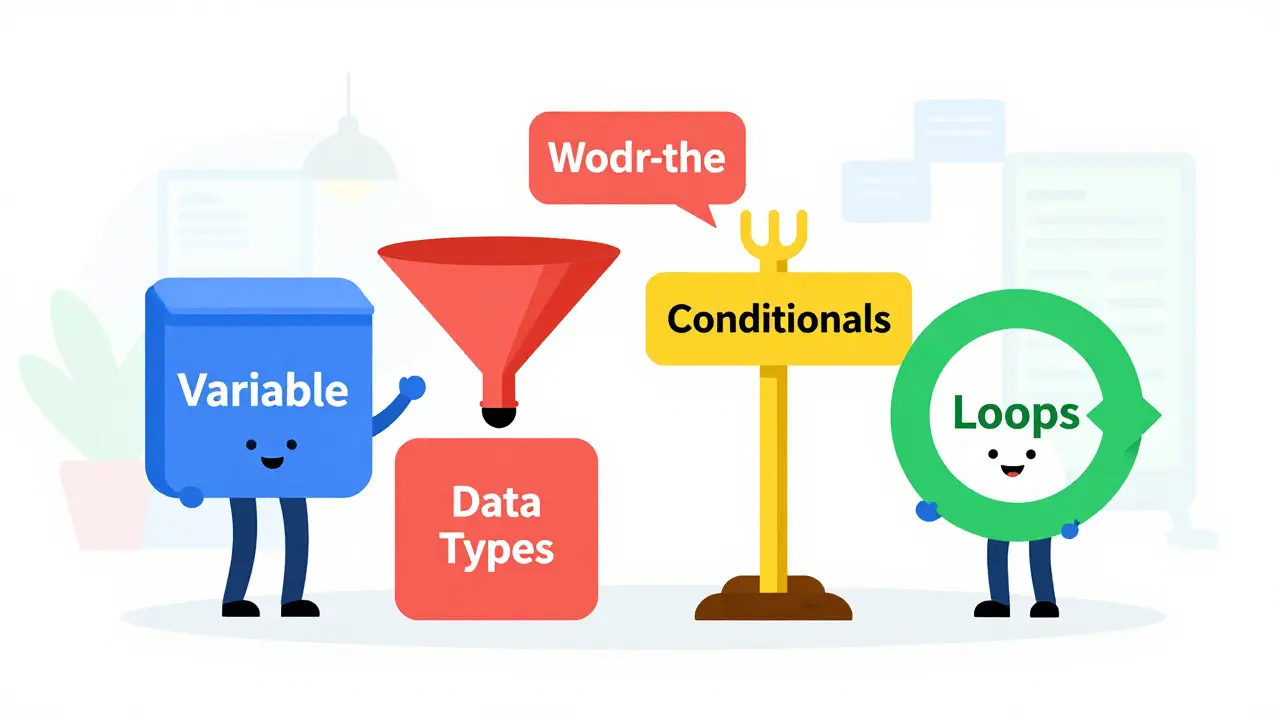
Before you install any software, you need to understand the four pillars of programming logic. Almost every program, from a simple calculator to a massive social media platform, relies on these elements.
- Variables: Think of a variable as a labeled box. You put data inside it and give it a name. If you have a box labeled
ageand you put the number25inside, the computer remembers thatageequals25. Later, if you want to use that number, you just refer to the label. Variables allow programs to store and manipulate information dynamically. - Data Types: Not all data is created equal. Computers need to know if a piece of information is a whole number (integer), a decimal (float), a single character (char), or a sentence (string). Trying to add the word "apple" to the number 5 causes an error because the computer doesn't know how to combine text and math without specific instructions.
- Conditionals: Life is full of choices, and so is code. Conditionals allow your program to make decisions based on certain criteria. The most common structure is the "if-else" statement. For example: If the user enters the correct password, then log them in; else, show an error message. This logic drives almost every interactive feature you use daily.
- Loops: Computers are great at repetition. Loops allow you to run a block of code multiple times without rewriting it. If you need to print numbers from 1 to 100, you don't write 100 separate lines. You write a loop that says, "Start at 1, print the number, add 1, and repeat until you hit 100." This saves time and reduces errors.
Understanding these concepts is more important than memorizing syntax. Syntax is just the spelling and grammar of a specific language. Logic is the story you are telling.
Choosing Your First Language: Why Python?
New developers often get stuck in "analysis paralysis," trying to pick the perfect first language. Here is the truth: there is no perfect language. However, some are friendlier to beginners than others. In 2026, Python remains the top recommendation for absolute beginners.
Why Python? Because it reads like plain English. Compare a simple command to print "Hello World" in two different languages:
| Language | Code Example | Readability |
|---|---|---|
| Python | print("Hello, World!") |
High - Minimal boilerplate |
| Java | System.out.println("Hello, World!"); |
Medium - Requires class structure |
Python requires fewer characters and less structural overhead to achieve the same result. This allows you to focus on logic rather than fighting with semicolons and curly braces. Additionally, Python has a massive community. If you get stuck, someone has likely asked your exact question on forums like Stack Overflow or Reddit. Other popular options include JavaScript for web development and C# for game development, but Python offers the gentlest learning curve.
Setting Up Your Environment
You do not need an expensive computer to start coding. Any modern laptop will suffice. To write code, you need two things: a place to write it (a text editor) and a way to run it (an interpreter or compiler).
- Install Python: Go to python.org and download the latest version for your operating system (Windows, macOS, or Linux). During installation, make sure to check the box that says "Add Python to PATH" on Windows. This allows you to run Python from your command line anywhere.
- Choose a Code Editor: You can use a simple notepad, but dedicated editors help. Visual Studio Code (VS Code) is free, lightweight, and widely used by professionals. Download it from code.visualstudio.com. Install the Python extension within VS Code to get syntax highlighting and error checking.
- Open the Terminal: Learn to navigate your file system using the command line. It feels intimidating at first, but it gives you direct control over your computer. Basic commands like
cd(change directory) andls(list files) are essential.
Once installed, open your terminal and type python --version. If you see a version number, you are ready to go. This setup process takes less than 30 minutes and sets the foundation for everything you will build.
Writing Your First Program
Let's create a simple program that asks for your name and greets you. Open VS Code, create a new file named hello.py, and type the following:
name = input("What is your name? ")
print("Hello, " + name + "! Welcome to programming.")
Here is what is happening:
input()pauses the program and waits for you to type something. Whatever you type is stored in the variablename.print()displays text on the screen. We are combining the string "Hello, ", the value ofname, and the rest of the greeting.
Save the file. Then, in your terminal, navigate to the folder where you saved hello.py and run python hello.py. Type your name when prompted. Watch the magic happen. You have just built a functional application. It may seem small, but you have successfully communicated with the machine, stored data, and produced output.
Common Pitfalls for Beginners
Even experienced programmers make mistakes. When you start, you will encounter errors constantly. Do not panic. Errors are not failures; they are feedback. Here are three common traps to avoid:
- Tutorial Hell: This happens when you watch endless videos or read books but never write code yourself. You feel like you are learning, but you aren't retaining anything. Break the cycle. After every lesson, close the tutorial and try to build something slightly different on your own.
- Copypasting Code: Copying code from the internet without understanding it is a recipe for disaster. When you copy, type it out manually instead. Typing forces your brain to process each character and symbol, reinforcing memory and pattern recognition.
- Ignoring Error Messages: Error messages look scary, but they are helpful. They tell you exactly which line went wrong and often why. Read the last few lines of the error trace. It usually points directly to the issue, such as a missing parenthesis or a misspelled variable name.
Embrace the frustration. Debugging-the process of finding and fixing errors-is where 80% of a programmer's time is spent. Getting good at debugging means getting good at programming.
Next Steps: Building Projects
Once you are comfortable with variables, loops, and conditionals, stop studying theory and start building. Small projects cement knowledge better than any textbook. Here are three beginner-friendly project ideas:
- A Calculator: Build a program that takes two numbers and an operation (+, -, *, /) and returns the result. This teaches you about functions and user input handling.
- A Number Guessing Game: Have the computer pick a random number between 1 and 100. Let the user guess, and tell them if their guess is too high or too low. This introduces loops and conditional logic in a fun context.
- A To-Do List: Create a simple list where users can add tasks, view them, and delete them. This introduces data structures like lists or arrays, which are fundamental to organizing information.
As you build, you will realize what you don't know. That is normal. Use that curiosity to drive your next learning step. Maybe you want your to-do list to save data permanently? Then you need to learn about files. Maybe you want it to look nice? Then explore HTML and CSS.
How long does it take to learn programming?
It depends on your definition of "learn." You can grasp the basic syntax of a language like Python in a few weeks if you practice daily. However, becoming job-ready typically takes 6 to 12 months of consistent study and project building. Mastery is a lifelong journey because technology evolves constantly.
Do I need to be good at math to code?
For most entry-level programming jobs, no. Basic arithmetic and logical reasoning are sufficient. Advanced fields like machine learning, graphics programming, or cryptography require higher-level mathematics, but general web development, automation, and app creation rely more on logic and creativity than calculus.
Is Python still relevant in 2026?
Yes, Python is more relevant than ever. It dominates in data science, artificial intelligence, backend web development, and automation. Its readability and vast library ecosystem keep it as the top choice for both beginners and enterprises.
Should I learn JavaScript or Python first?
If you want to build interactive websites immediately, start with JavaScript. It runs directly in the browser. If you prefer backend logic, data analysis, or want the easiest learning curve, choose Python. Both are excellent first languages, but Python is generally less frustrating for absolute novices due to its simpler syntax.
Can I learn programming for free?
Absolutely. There are countless high-quality free resources available. Platforms like freeCodeCamp, The Odin Project, and official documentation for languages like Python offer comprehensive tutorials. YouTube channels also provide excellent visual guides. You only need to pay if you want structured mentorship or certification.