
Most developers think the secret to coding faster is typing 120 words per minute or drinking ten cups of coffee before noon. In reality, speed isn't about how fast your fingers move; it's about how few mistakes you make and how little time you spend fighting your tools. If you spend three hours debugging a typo that a better setup would have caught in seconds, you aren't being thorough-you're just wasting time.
The Core Principles of High-Velocity Coding
Before you touch your keyboard, you need to change how you view the act of programming. The slowest way to code is to start typing the moment you see a Jira ticket. You'll end up rewriting the same logic three times because you didn't account for an edge case.
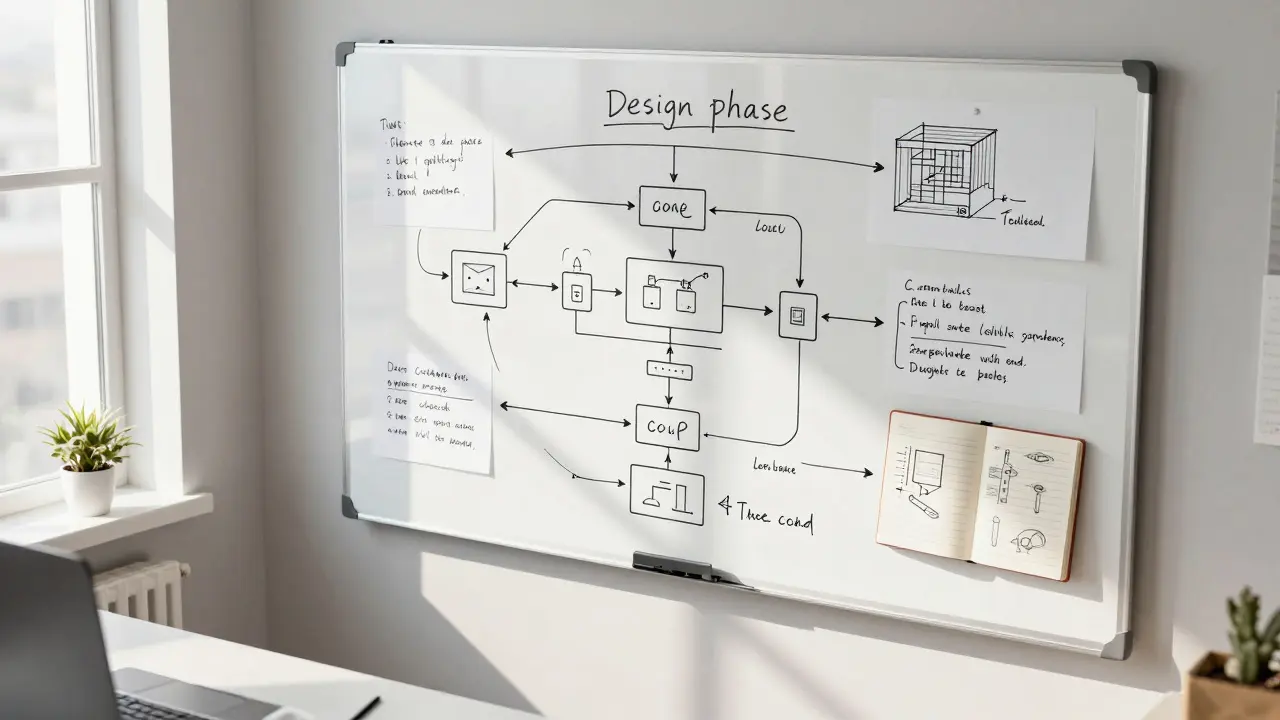
Fast programmers spend more time in the "design phase." They use a whiteboard or a simple notebook to map out the logic. By the time they open their IDE (Integrated Development Environment), they aren't thinking about how to solve the problem-they're just documenting the solution they've already figured out. This prevents the "stop-and-start" rhythm that kills productivity.
Another key is the 80/20 rule. In any project, 20% of the features usually provide 80% of the value. If you're trying to build a perfect, infinitely scalable system for a prototype, you're slowing yourself down. Focus on the critical path first. Get the core logic working, then refine the edges. This iterative approach allows you to ship faster and get feedback sooner.
Mastering Your Tools and Environment
Your editor is your cockpit. If you're still reaching for the mouse to move a line of code or navigate to a file, you're leaking time. Every time you move your hand from the keyboard to the mouse, you break your flow state.
Start by mastering Keyboard Shortcuts. For example, in Visual Studio Code, using Ctrl+P (or Cmd+P) to jump between files is significantly faster than clicking through a folder tree. Learning Alt+Up/Down to move lines or Ctrl+D to select multiple instances of a word can shave hours off your week.
| Tool Category | Slow Approach | Fast Approach | Impact |
|---|---|---|---|
| Navigation | Manual Folder Clicking | Fuzzy Finders / Jump to Symbol | Instant Access |
| Code Generation | Manual Boilerplate Typing | Snippets & Live Templates | Zero Typo Errors |
| Version Control | GUI-only Git Clients | CLI with Aliases | Faster Branching/Merging |
| Testing | Manual Refresh & Check | Test-Driven Development (TDD) | Less Regression Debugging |
Beyond shortcuts, leverage AI Coding Assistants. Tools like GitHub Copilot or Cursor aren't just for lazy people; they're for efficient ones. Using these for boilerplate, regex, or unit test shells removes the cognitive load of repetitive tasks. The trick is to review the AI output critically-blindly accepting code is the fastest way to introduce a bug that takes a day to find.
Leveraging Frameworks and Design Patterns
Don't reinvent the wheel. If you're writing a custom sorting algorithm for a business app, you're doing it wrong. Professional speed comes from knowing which Design Patterns to apply. For instance, using a Strategy Pattern allows you to swap algorithms without changing the core logic, making your code easier to extend and faster to write.
Understanding the ecosystem of Libraries is equally vital. In Python, using itertools or collections can replace dozens of lines of manual loops with a single, optimized function. In JavaScript, mastering array methods like .map(), .filter(), and .reduce() allows you to process data in a fraction of the time it takes to write a standard for loop.
When you use proven patterns, you're speaking a language other developers already understand. This means your code reviews go faster, and you spend less time explaining your logic to teammates. Speed is as much about communication as it is about syntax.

The Role of Test-Driven Development (TDD) in Speed
It sounds counterintuitive: "How does writing more code (tests) make me go faster?" But anyone who has spent a Sunday night hunting for a null pointer exception knows the answer. Manual testing is a trap. You check one thing, break another, and spend three hours in a loop of Change → Refresh → Crash.
By implementing Test-Driven Development, you create a safety net. You write a failing test, write the minimum code to make it pass, and move on. If you break something later, the test tells you exactly where the leak is immediately. This eliminates the "fear of refactoring." When you aren't afraid to change your code, you can optimize and clean it up much faster.
Managing Mental Energy and Flow State
You cannot code at peak speed for eight hours straight. The brain is a muscle that fatigues. The most productive engineers I've known don't work more hours; they work more intensely for shorter bursts. This is often achieved through Deep Work.
Deep work requires the total elimination of distractions. A single Slack notification or an "urgent" email can knock you out of your flow, and research shows it takes about 20 minutes to fully regain that state of deep concentration. To program faster, protect your time. Use "Do Not Disturb" modes, block off four-hour chunks of calendar time for coding, and communicate to your team that you are in a deep-work session.
Also, embrace the power of the walk. When you hit a wall with a complex bug, the fastest way to solve it is often to step away from the screen. Your subconscious continues to process the problem. Many of the "Aha!" moments happen in the shower or during a walk, not while staring blankly at a monitor for the fifth single hour.

How Speed Propels Your Career
In a corporate environment, speed is often equated with reliability and leadership. The developer who can prototype a feature in two days while others take two weeks becomes the go-to person for critical projects. This doesn't mean you're the "grunt" who does all the work; it means you have the capacity to take on the high-visibility architectural challenges that lead to promotions.
Being fast also gives you a massive competitive advantage: time for learning. If you can finish your assigned tasks in 30 hours instead of 40, you have 10 hours a week to study a new language, experiment with Rust, or contribute to open source. This creates a positive feedback loop-the more you learn, the faster you become; the faster you become, the more time you have to learn.
Does programming faster lead to more bugs?
Not if you focus on efficiency rather than rushing. Speed comes from better tooling, better design, and better patterns. When you use TDD and strong type systems, you actually reduce bugs while increasing speed because you're catching errors at the moment of creation rather than during production.
Which is more important: typing speed or logic speed?
Logic speed wins every time. Typing is a mechanical task; logic is the actual engineering. A developer who types 100 wpm but spends two hours solving a problem poorly is slower than a developer who types 40 wpm but spends ten minutes designing a perfect solution and 20 minutes implementing it.
How do I start learning IDE shortcuts without feeling overwhelmed?
Don't try to learn them all at once. Pick one action you do repeatedly-like renaming a variable or searching for a file-and force yourself to use the shortcut for one week. Once it's in your muscle memory, pick a second shortcut. This gradual approach prevents frustration and ensures the habits actually stick.
Are AI assistants like Copilot making developers slower in the long run?
Only if you use them as a crutch. If you let AI write code you don't understand, you'll spend more time debugging later. However, if you use AI to handle the repetitive boilerplate and focus your energy on high-level architecture and edge cases, it significantly accelerates your output.
Is there such a thing as being too fast?
Yes, if that speed comes from skipping the design phase or ignoring tests. "Fast and loose" coding leads to technical debt. True speed is sustainable; it's about creating clean, maintainable code quickly, not just shipping a feature that breaks the next time someone touches it.
Next Steps for Improvement
If you're feeling stuck in a plateau, start with a small audit. For one day, keep a tally of every time you touch your mouse. If the number is over 50, your first goal is to find shortcuts for the most common mouse actions. Next, look at your last three bugs; if they were simple typos or logic errors that a test would have caught, commit to writing just one unit test for every new function you create.
Finally, start a "learning hour." Dedicate the first hour of your day to reading a new design pattern or exploring a library that could replace some of your manual code. The investment in your knowledge today is what pays the dividend of speed tomorrow.