

Look at the code you wrote last week. Now look at the code an AI assistant generated for you today. The gap between those two lines of text is shrinking fast, but here is the catch: knowing how to prompt a chatbot isn't enough. To truly unlock the future of technology, you need to understand the mechanics behind the magic. This means getting your hands dirty with coding for AI. It’s not just about typing commands; it’s about teaching machines how to think, learn, and adapt. If you want to build systems that solve real problems rather than just playing with toys, you have to speak the language of algorithms.
The Foundation: Why Python Still Rules the Roost
You might hear buzzwords about new languages popping up every month, but when it comes to building intelligent systems, Python remains the undisputed king. Why? Because it reads like English. When you are trying to debug a complex neural network, you don’t want to fight with semicolons or memory management issues. You want to focus on the logic. Python’s syntax is clean, which makes it perfect for rapid prototyping. But more importantly, the ecosystem around it is massive. Libraries like NumPy handle heavy math operations efficiently, while Pandas lets you manipulate messy datasets without breaking a sweat. In 2026, Python is still the bridge between raw data and actionable intelligence.
However, relying solely on Python has its limits. For production-level applications where speed is critical, you often need to integrate with lower-level languages. This is where C++ comes into play. Many high-performance AI frameworks, such as TensorFlow and PyTorch, are written in C++ under the hood. As a developer, you write in Python for convenience, but the heavy lifting happens in C++. Understanding this relationship helps you optimize your models. If your inference time is too slow, knowing that the bottleneck might be in the underlying C++ layer allows you to make better architectural decisions, like using compiled operators or quantization techniques.
Data Is the Fuel: Preprocessing and Cleaning
A model is only as good as the data it feeds on. This isn’t just a catchy phrase; it’s the hardest part of the job. Most developers spend 80% of their time cleaning data and only 20% building the actual model. If you feed garbage into an algorithm, you get garbage out. This process, known as Data Preprocessing, involves handling missing values, normalizing numbers, and encoding categorical variables. Imagine trying to train a system to recognize cats and dogs, but half your images are upside down or labeled incorrectly. The model will never converge properly.
Let’s look at a concrete example. Suppose you are building a recommendation engine for an e-commerce site. Your dataset includes user ages, purchase history, and browsing times. Ages range from 18 to 90, while browsing times range from 1 to 1000 seconds. If you feed these raw numbers into a machine learning algorithm, the age variable might dominate because of its scale, even if it’s less relevant. You need to normalize these features so they sit on the same playing field. Techniques like Min-Max scaling or Z-score normalization ensure that each feature contributes equally to the learning process. Without this step, your model will be biased and inaccurate.
Choosing Your Framework: PyTorch vs. TensorFlow
Once your data is ready, you need a tool to build your model. The two giants in this space are PyTorch and TensorFlow. Both are powerful, but they cater to slightly different workflows. PyTorch is favored by researchers and startups because it is dynamic and intuitive. It uses eager execution, meaning you can see results immediately as you run code. This makes debugging much easier. If you change a line of code, you see the effect right away. It feels like writing standard Python scripts, which lowers the barrier to entry for beginners.
| Feature | PyTorch | TensorFlow |
|---|---|---|
| Execution Mode | Dynamic (Eager) | Static (Graph-based) |
| Best For | Research, Prototyping | Production, Deployment |
| Debugging | Easy (Standard Python) | Complex (Requires Graph Inspection) |
| Community Support | Academic, Research-focused | Enterprise, Industry-wide |
On the other hand, TensorFlow is built for scale. Google developed it to power their own massive infrastructure, so it excels at deploying models across thousands of servers. Its static graph approach allows for significant optimization before execution, making it faster for large-scale production environments. If you are working in a large corporation with strict deployment pipelines, TensorFlow might be the safer bet. However, the gap is closing. TensorFlow now supports eager execution, and PyTorch has improved its deployment tools with TorchServe. Choose based on your team’s expertise and your project’s end goal.
Understanding Neural Networks: The Core Engine
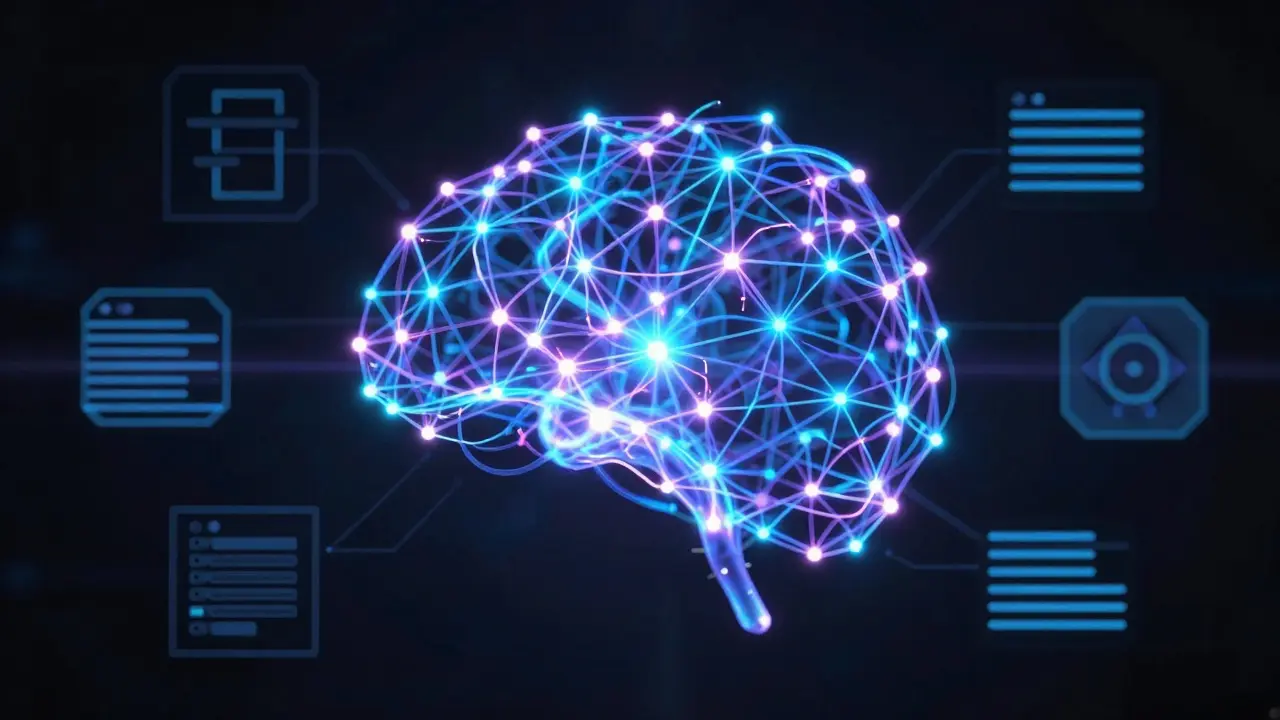
At the heart of modern AI lies the Neural Network. Think of it as a series of layers inspired by the human brain. Each layer processes information and passes it to the next. The input layer receives data, hidden layers extract features, and the output layer makes predictions. But how does it learn? Through a process called backpropagation. When the model makes a mistake, it calculates the error and adjusts its internal weights to minimize that error in the future. It’s like training a dog: you reward correct behavior and correct mistakes until the pattern sticks.
The architecture matters immensely. A simple perceptron won’t cut it for image recognition. You need Convolutional Neural Networks (CNNs) for visual data because they detect spatial hierarchies like edges and shapes. For text, Recurrent Neural Networks (RNNs) or Transformers are better suited because they handle sequential data. In 2026, Transformer architectures dominate almost every domain, from language translation to protein folding. They use attention mechanisms to weigh the importance of different parts of the input simultaneously. Understanding these architectures allows you to choose the right tool for the job instead of applying a one-size-fits-all solution.
Training and Evaluation: Avoiding Overfitting
Building the model is only half the battle. Training it requires careful monitoring. One common pitfall is overfitting, where the model memorizes the training data instead of learning general patterns. It performs perfectly on known data but fails miserably on new, unseen examples. To prevent this, you split your data into training, validation, and test sets. The training set teaches the model, the validation set tunes hyperparameters, and the test set provides an unbiased evaluation. Never touch the test set during development, or your results will be skewed.
Regularization techniques help keep the model honest. Dropout randomly disables neurons during training, forcing the network to rely on multiple pathways rather than specific connections. L2 regularization penalizes large weights, encouraging simpler models. Monitoring metrics like accuracy, precision, recall, and F1 score gives you a clear picture of performance. Accuracy alone can be misleading, especially with imbalanced datasets. If 99% of transactions are legitimate and 1% are fraud, a model that predicts “legitimate” every time has 99% accuracy but is useless. Precision and recall tell you how well it catches the rare events.
Deployment: From Notebook to Production
Your model works great in Jupyter Notebook. Great. Now what? Moving from experimentation to production is where many projects die. You need to containerize your application using Docker to ensure consistency across environments. Then, you deploy it via cloud services like AWS SageMaker, Google Cloud AI Platform, or Azure Machine Learning. These platforms handle scaling, monitoring, and versioning automatically. But don’t just push and pray. Implement continuous integration and continuous deployment (CI/CD) pipelines for ML, often called MLOps. This ensures that every new model version is tested rigorously before reaching users.
Latency is a critical factor in production. Users expect instant responses. If your model takes five seconds to predict, they’ll leave. Optimize your model by pruning unnecessary weights, quantizing parameters to lower precision (like FP16 or INT8), and using efficient serving frameworks like TensorRT or ONNX Runtime. Also, consider edge computing. Running models directly on devices like smartphones or IoT sensors reduces latency and bandwidth costs. This is crucial for real-time applications like autonomous driving or augmented reality.
Ethics and Bias: Building Responsible AI
As we code for AI, we must also code for responsibility. Algorithms inherit biases present in their training data. If historical hiring data favors men, your AI recruiter will likely do the same. This isn’t a technical glitch; it’s a reflection of societal inequalities baked into the data. Detecting bias requires auditing your datasets for representation gaps and testing model outputs across different demographic groups. Tools like IBM’s AI Fairness 360 or Google’s What-If Tool can help visualize these disparities.
Transparency is another key pillar. Black-box models make accurate predictions but offer no explanation. In healthcare or finance, this is unacceptable. You need explainable AI (XAI) techniques like SHAP or LIME to interpret why a model made a specific decision. Regulations like the EU AI Act mandate transparency for high-risk systems. Ignoring ethics isn’t just morally wrong; it’s a legal and reputational risk. Build fairness into your pipeline from day one, not as an afterthought.
Future Trends: Where Coding for AI Heads Next
The landscape evolves rapidly. By 2026, we see a shift towards multimodal models that process text, image, audio, and video simultaneously. Coding for these systems requires integrating diverse data streams seamlessly. Additionally, foundation models are becoming commoditized. Instead of training from scratch, developers fine-tune pre-trained giants like GPT-4 or Claude for specific tasks. This changes the skill set required: less emphasis on raw model architecture, more on prompt engineering, retrieval-augmented generation (RAG), and orchestration layers. Yet, understanding the fundamentals remains vital. You can’t effectively fine-tune or debug what you don’t understand.
Quantum computing also looms on the horizon, promising exponential speedups for certain optimization problems. While practical quantum advantage is still years away, experimenting with quantum machine learning libraries like Qiskit prepares you for the next leap. Stay curious, keep coding, and remember: the future belongs to those who build it, not just those who watch it unfold.
Do I need a degree in computer science to code for AI?
No, you don’t strictly need a formal degree. Many successful AI practitioners are self-taught. What matters more is proficiency in Python, understanding of linear algebra and statistics, and hands-on experience building projects. Online courses, bootcamps, and open-source contributions can provide equivalent knowledge. Focus on mastering the fundamentals of data structures, algorithms, and machine learning theory through practice.
Which is better for beginners: PyTorch or TensorFlow?
PyTorch is generally recommended for beginners due to its intuitive, Pythonic interface and dynamic computation graph. It allows for easier debugging and immediate feedback, which accelerates the learning curve. TensorFlow is powerful but has a steeper initial learning curve due to its static graph nature (though this has improved). Start with PyTorch to grasp concepts, then explore TensorFlow for enterprise deployment scenarios.
How much data do I need to train an AI model?
It depends on the complexity of the task and the model architecture. Simple classification tasks might require hundreds of samples, while deep learning for image recognition often needs tens of thousands. Transfer learning allows you to leverage pre-trained models with smaller datasets. Data quality is often more important than quantity. Clean, well-labeled data yields better results than massive, noisy datasets.
What hardware do I need to start coding for AI?
For learning and small projects, a modern laptop with a decent CPU and 16GB RAM is sufficient. You can use free cloud GPUs via Google Colab or Kaggle. For serious training, NVIDIA GPUs with CUDA support are essential. Look for cards with at least 8GB VRAM, preferably 12GB or more. Cloud instances from AWS, Azure, or Google Cloud offer scalable GPU resources without upfront hardware costs.
Is AI coding replacing traditional software development jobs?
Not replacing, but augmenting. AI automates repetitive coding tasks and generates boilerplate code, freeing developers to focus on architecture, problem-solving, and creative innovation. Developers who learn to integrate AI tools into their workflow become more productive. The demand for skilled engineers who understand both traditional software engineering and AI principles is growing, not shrinking.